
Buy DTF Transfers
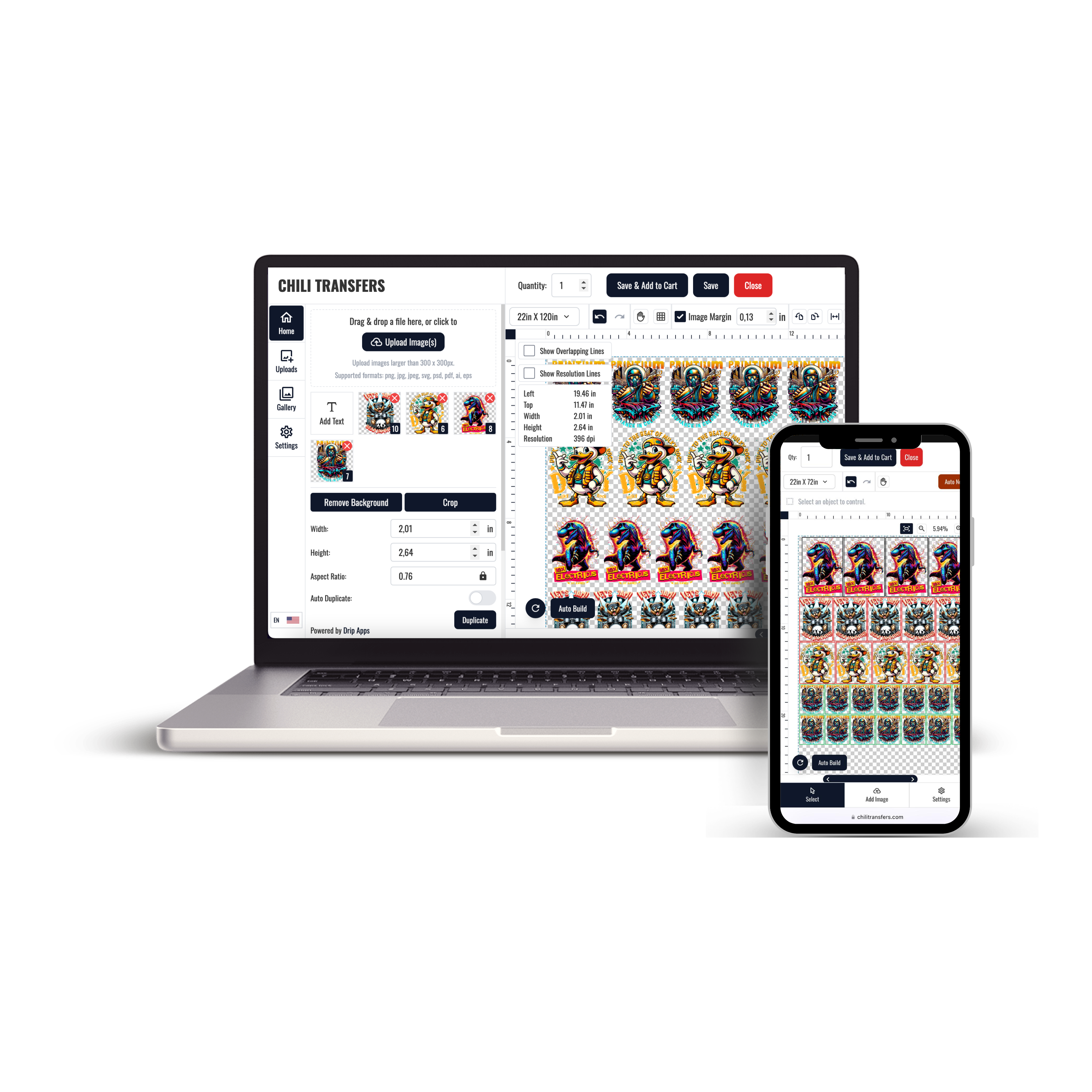


Buying DTF transfers starts with choosing the right ordering format for the artwork, garment, quantity, and production workflow. A single logo ordered at a known size, several designs arranged on a gang sheet, and a ready-to-press seasonal design are different buying situations.
The goal is to confirm artwork, dimensions, quantities, and application requirements before placing the order.
To review current transfer options, explore DTF Transfers.
What Are DTF Transfers?
DTF transfers are printed designs prepared on transfer film and later applied to compatible textile products using controlled heat and pressure.
A typical production process includes:
- Preparing the artwork.
- Printing the design onto transfer film.
- Applying adhesive powder.
- Curing the transfer.
- Pressing the finished transfer onto the garment.
For the buyer, the most important step is making sure the finished transfer matches the approved artwork, intended dimensions, garment, and application workflow.
Choose the Right DTF Ordering Format
Before buying, decide how the artwork should be supplied.
DTF Transfers By Size
This format works well when:
- You have one approved design.
- The finished transfer dimensions are already known.
- You need a specific number of copies.
- You do not need to arrange multiple designs on one large sheet.
For this workflow, use DTF Transfers By Size.
Gang Sheets
A gang sheet can be useful when several graphics, repeated logos, or different transfer sizes need to be organized within one larger layout.
Before creating the sheet, confirm:
- Final artwork versions.
- Finished dimensions.
- Required quantities.
- Which designs belong to the same production job.
Do not use the gang-sheet stage to decide artwork versions or transfer dimensions after the layout has already been built.
Ready-to-Press Designs
Ready-to-press transfers may be appropriate when you want existing artwork that has already been prepared as a finished transfer rather than uploading a custom design.
The correct format depends on whether you need original artwork, several custom graphics, or an existing design.
Prepare Artwork Before Buying DTF Transfers
Transfer quality starts with the source artwork. A finished transfer cannot correct an outdated logo, misspelled name, wrong date, or design prepared at the wrong size.
Before uploading a file:
- Use the approved artwork version.
- Check names, dates, numbers, and spelling.
- Remove unwanted backgrounds when transparency is required.
- Inspect small text and thin lines.
- Confirm the intended width and height.
- Review the design at its actual production size.
Confirm Transfer Size Before Ordering
The correct transfer size depends on the garment and print position.
A left-chest logo, adult front print, youth design, hoodie back graphic, and sleeve transfer may all require different dimensions.
A simple sizing process is:
- Select the actual garment.
- Choose the print position.
- Measure the available decoration area.
- Set the intended transfer dimensions.
- Review the artwork at those dimensions.
When the final dimensions are already confirmed, DTF Transfers By Size provides a direct ordering path.
Check Garment Compatibility
Standard DTF transfers are intended for compatible textile applications, but not every garment should automatically be treated the same.
Before production, consider:
- Fabric composition.
- Garment construction.
- Surface texture.
- Heat sensitivity.
- Seams and pockets.
- Available decoration area.
Test unfamiliar garments before applying the complete order.
Do Not Buy Based on Price Alone
Price is one part of the order decision, but it should be reviewed together with:
- Transfer dimensions.
- Quantity.
- Artwork complexity.
- Ordering format.
- Application requirements.
- Repeat-order needs.
A lower unit price does not automatically mean the order is better suited to the production workflow.
Review the Complete Order Before Checkout
Before submitting the order, verify the details that can create production errors later.
- Correct artwork uploaded.
- Correct transfer size selected.
- Correct quantity entered.
- Artwork orientation checked.
- Customer names and personalized details proofread.
- Gang sheet reviewed in full when applicable.
- Garment plan confirmed.
Buying DTF Transfers for Repeat Orders
Repeat orders are easier to manage when the approved production details are documented.
Keep a record of:
- Approved artwork filename.
- Artwork version.
- Transfer dimensions.
- Quantity.
- Garment placement.
- Intended blank product.
If the design has not changed, these records help reduce accidental sizing or artwork-version changes on later orders.
Buying DTF Transfers for Small Orders
A small order may only require one design at one size. In that case, an individual-size ordering format may be simpler than preparing a complete gang sheet.
Before ordering, confirm whether the design will be repeated soon. If several related transfers are expected, organizing the production plan before ordering may reduce unnecessary file changes later.
Buying DTF Transfers for Larger Multi-Design Orders
Larger orders can contain multiple designs, sizes, customer files, or garment placements.
For those jobs, organize the order before production:
- Separate artwork by customer or project.
- Confirm every design version.
- List the finished dimensions.
- Record the quantity of each transfer.
- Decide whether individual-size ordering or a gang sheet is more appropriate.
How to Apply Purchased DTF Transfers
Application settings should come from the instructions for the specific transfer being used.
A general workflow includes:
- Inspect the garment.
- Prepare a clean, flat pressing area.
- Set the required heat, time, and pressure.
- Position the transfer accurately.
- Complete the pressing cycle.
- Use the specified hot, warm, or cold peel method.
- Complete a finishing press when required.
- Inspect the finished garment.
Do not assume that one temperature, time, pressure, or peel method applies to every DTF transfer.
Test Before Pressing a Full Batch
When using a new transfer, garment, artwork size, or heat-press setup, test one item before processing the entire order.
Check:
- Placement.
- Complete adhesion.
- Small details.
- Edges.
- Garment surface condition.
- Peel behavior.
If the result is inconsistent, investigate the garment, transfer, press setup, and application process before continuing.
Store Transfers Before Application
If purchased transfers will not be applied immediately, keep them clean, dry, protected, and away from unnecessary heat, dust, moisture, folding, and pressure.
Organize packages by artwork, customer, size, or project so the correct transfer can be identified without unnecessary handling.
How to Choose Where to Order DTF Transfers
Evaluate the ordering workflow rather than relying only on broad claims such as “best” or “premium.”
Useful checks include:
- Available transfer formats.
- Clear artwork requirements.
- Available size options.
- Application instructions.
- Support information.
- Ability to reorder the same artwork consistently.
You can review current Chili Transfers ordering options through Order DTF Transfers.
Common DTF Transfer Buying Mistakes
Ordering Before Artwork Is Final
An outdated or incorrect file can still produce a technically correct transfer. Approve the artwork first.
Guessing the Transfer Size
Measure the actual garment and decoration area before selecting dimensions.
Using One Size Across Every Garment
Youth, adult, hoodie, sleeve, and other applications may require different proportions.
Assuming Every Transfer Uses the Same Press Settings
Follow the instructions for the specific transfer system.
Skipping the Full Gang-Sheet Review
When ordering a gang sheet, inspect the entire layout for missing designs, wrong versions, incorrect sizes, or unintended duplicates.
Not Saving Repeat-Order Information
Keep approved artwork and transfer specifications so later orders can match the original production plan.
DTF Transfer Buying Checklist
- Artwork finalized.
- Correct file version selected.
- Garment confirmed.
- Decoration area measured.
- Transfer dimensions confirmed.
- Quantity confirmed.
- Ordering format selected.
- Gang sheet reviewed when applicable.
- Application instructions reviewed.
- Repeat-order details documented.
Frequently Asked Questions
How do I buy DTF transfers?
Prepare the artwork, confirm the finished dimensions and quantities, then choose an ordering format such as individual transfers by size or a gang-sheet workflow.
What file should I use for a custom DTF transfer?
Use the file format and artwork specifications required by the specific ordering product. The important steps are using the correct artwork version, intended dimensions, and clean production-ready artwork.
Should I order DTF transfers by size or use a gang sheet?
Use individual-size ordering when the design and dimensions are already known and the order is relatively straightforward. Consider a gang sheet when several graphics, sizes, or repeated designs need to be organized together.
Do DTF transfers use one universal press setting?
No. Follow the application instructions provided for the specific transfer and garment combination.
Can I reorder the same DTF transfer later?
Yes, but keep the approved artwork version, transfer dimensions, and order details so the repeat production can be matched accurately.
Where can I order custom DTF transfers?
Review Order DTF Transfers for current Chili Transfers ordering options.
Final Thoughts
Buying DTF transfers is easier when the production details are confirmed before checkout.
Finalize the artwork, measure the garment, choose the correct transfer dimensions, select the right ordering format, and review the application instructions before production.
Explore DTF Transfers for current options, use DTF Transfers By Size when the finished dimensions are already known, or visit Order DTF Transfers for a broader ordering path.